Using Document Overlays for Precise Site Measurements
Overview
Use file overlays—like CAD drawings, site plans, or PDFs—within Launchpad Map to align with aerial imagery for accurate measurement, annotation, and quote generation.
What Is a Document Overlay?
A document overlay is a transparent map layer you upload to Launchpad Map, enabling you to align your site-specific plans (e.g., parking layouts, hardscapes) with real-world imagery for enhanced measurement accuracy.
Why Use Overlays
Aligns your design plans with real-world geography
- Enables precise area, distance, and point measurements
- Merges the clarity of your site plan with Launchpad's aerial context
- Enhances communication with clear, annotated visuals for clients or crews
Example: Measuring a Parking Lot
Here's how it looks in action:
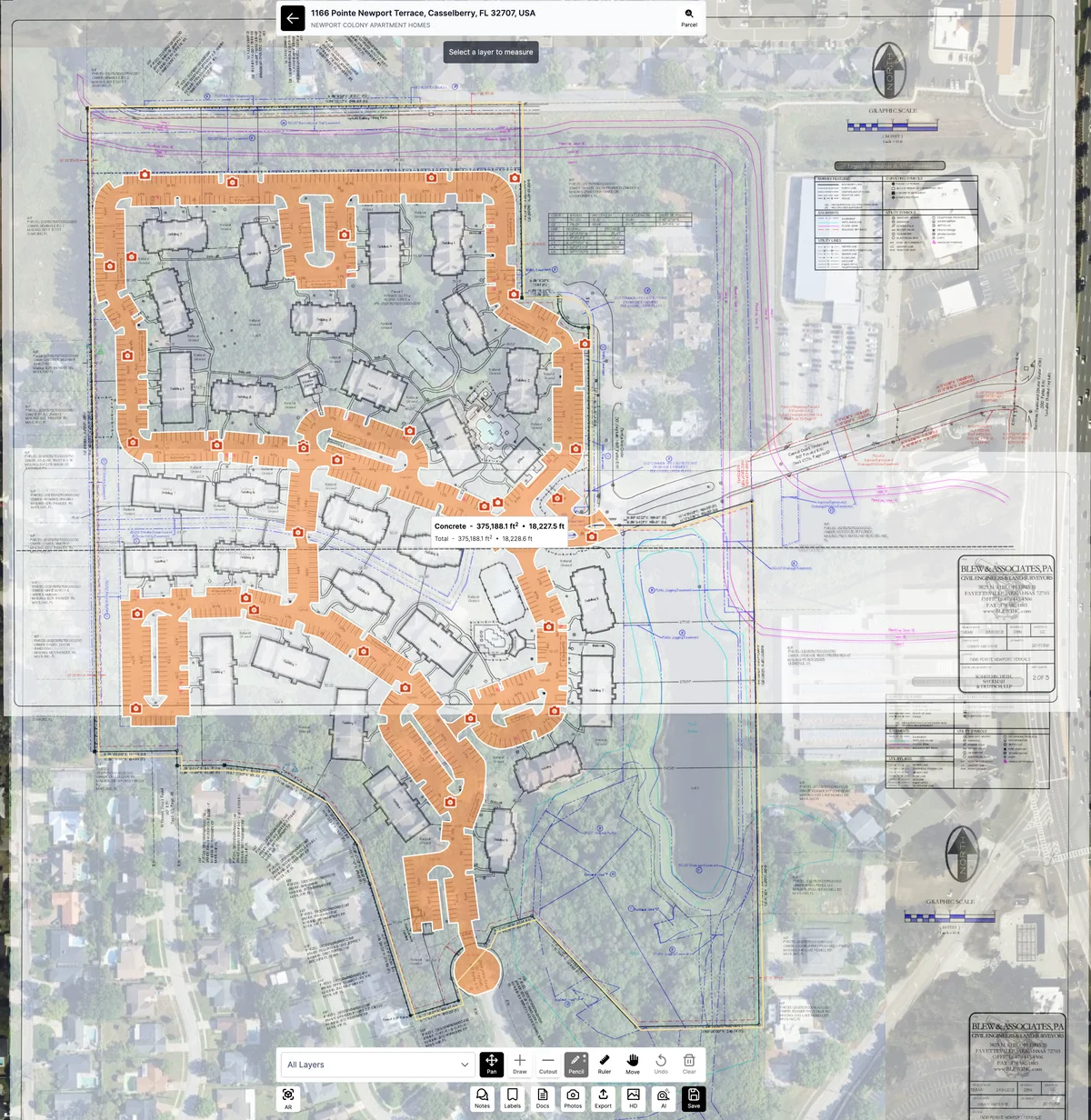
The image below shows a site plan of a large apartment complex's parking areas overlaid on Launchpad's imagery.
A shaded polygon outlines the hardscape (parking & concrete), with precise area and perimeter data displayed.
This visual example helps users understand how overlays enhance measurement accuracy and workflow efficiency.
Tips & Best Practices
- Always use high-resolution, georeferenced site plans when possible
- Align distinct landmarks (like building corners or road edges) for better overlay placement
- Lock overlays once aligned to prevent shifting during measurement
- Use contrasting colors for measurement shapes to improve visual clarity
- If plan scales differ, apply known measure points to adjust alignment manually
Was this article helpful?